
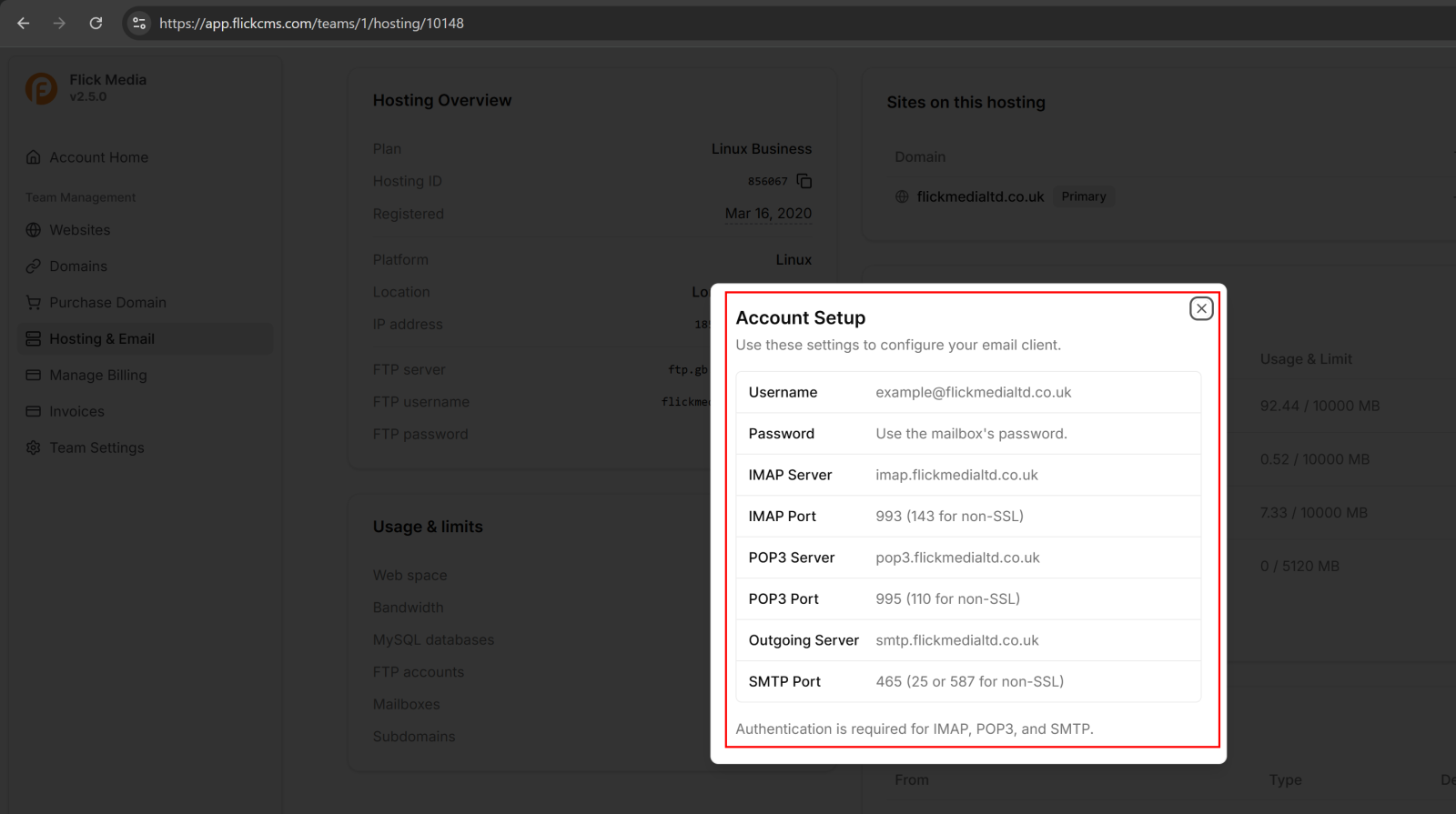
Step 1: Open the Account Setup
In the Email Accounts section, click the three dots (⋮) next to the mailbox you want to configure, then select View Setup.
Step 2: Use the Email Settings
The Account Setup window will display all the information needed to configure your email client, including:
Result:
Use these settings to configure your email account in applications such as Outlook, Apple Mail, Thunderbird, or your mobile email app.
Note: Authentication is required for IMAP, POP3, and SMTP. Use your full email address as the username and the mailbox password when prompted.